
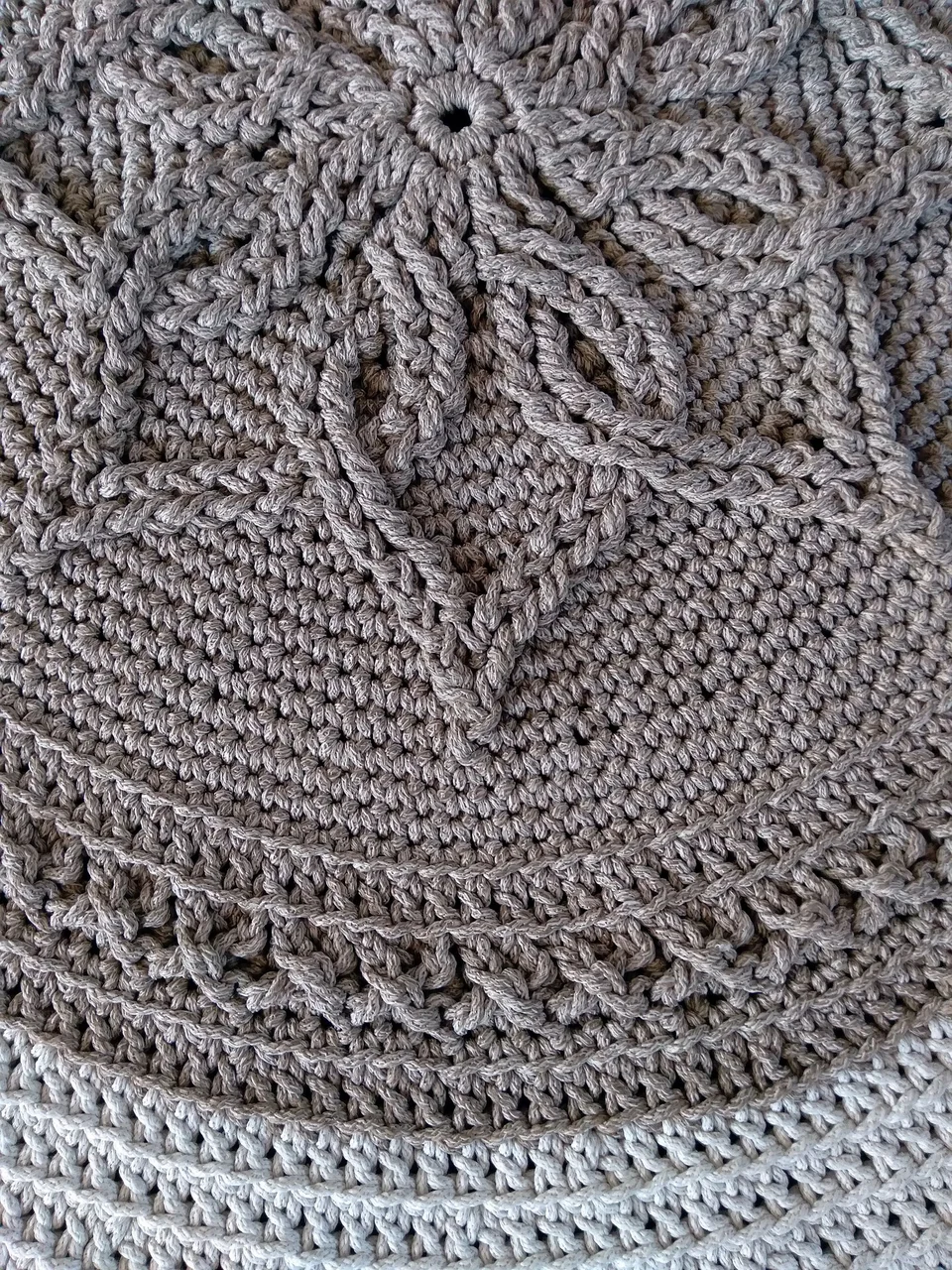
About This Generator
The Mandala Doily Generator studies circular crochet growth, openwork transitions, and decorative petal sources. It can build a solid circle or a supported mesh, shell, daisy, layered-petal, or star-edge construction. It is useful for learning why a ring expands and for planning a decorative circular swatch. The output is not a guarantee of flatness in every yarn. Beginners can start with solid joined rounds; retained-loop layers and separately attached petals need more advanced source tracking.
How to Use This Generator
Total working rounds sets the complete numbered sequence for the chosen style. Mandala construction determines the sequence itself. Mesh requires at least four rounds, shell and star at least three, daisy at least four, and layered petals at least five. Solid sectors selects eight hdc sectors or twelve dc sectors when relevant. Round construction can choose joined rounds or continuous spiral for the supported solid mode. Decorative modes use joined stages or their explicitly separate petals, and the interface disables a spiral choice that does not apply.
Set the color swatches, choose terminology, and regenerate. Read each joining instruction in Written Pattern and trace its old post or opening in Symbol Chart. The structure view retains the source relationships rather than treating a petal outline as a photograph. Save a local project while experimenting, export JSON for independent recovery, and export SVG when you need a scalable chart. Print can produce a paper pattern or PDF through the browser destination.
Understanding the Crochet Pattern
Joined rounds return to the first actual stitch with a joining slip stitch. Their starting chains supply height but do not automatically replace that stitch. A continuous spiral instead moves directly into the next circuit and needs a movable first-stitch marker. A petal can be attached separately, fastened off, and followed by a frame using one selected arch. In a layered design, a later bridge may use retained foundation back loops behind earlier petals; it does not necessarily enter the most recently worked petal tops.
How the Generator Works
The twelve-sector solid mode adds twelve dc per circuit, while the eight-sector mode adds eight hdc. Decorative modes specify individual groups, chains, skipped sources, and retained loops. Mesh begins with twelve posts and openings, fills selected openings, and then transitions to solid growth. Daisy framing selects trailing petal arches. The star edge varies stitch heights and places point groups into specified old posts. Minimum round checks ensure the required preparation stages exist before the final frame. A requested decorative spiral is rejected because its joins and attachment sources were not defined as continuous spirals.
Step-by-Step Worked Example
Choose Solid circle, 12 sectors, Joined rounds, and 3 total working rounds. Make twelve dc in a magic ring, using the written uncounted starting chain and joining to the first actual dc. Round 2 places two dc in each old dc, giving twenty-four. Round 3 repeats one dc followed by two dc in the next stitch twelve times, giving thirty-six. Move or replace the start marker after each join. These counts explain the expansion; measure the finished disk to find its actual diameter.
Download this worked example as JSON. Restore it in this generator to compare the actual counts and structure.
Practical Tips
Use a smooth thread or yarn when learning to distinguish a selected arch from a securing chain. Spread the work flat after every structural transition, without pulling the edge into a preferred outline. For layered petals, leave temporary markers in the retained loops before adding the foreground layer. Record whether the sample was washed and blocked when comparing sector choices, because that treatment changes physical measurements.
Common Mistakes and Solutions
A spiral develops a visible joining step every circuit
A joined-round habit may have been carried into spiral mode. Check the selected construction, remove unnecessary joins and starting chains from the affected circuit, and keep a first-stitch marker instead of closing every lap.
A decorative frame has too many attachment points
Both petal arches may have been used when only a trailing arch was selected. Trace the designated arch IDs, count the intended receiving openings, and undo the frame to the first duplicated source.
The disk ruffles or cups despite correct totals
First confirm every sector has the written growth. If totals and sources are correct, test hook size and yarn tension on a small solid sample. Changing random increases can obscure the original cause and invalidate the supported sequence.
Second Reproducible Application
Use this comparison to check how one input changes the crochet mandala doily generator output. Enter rounds = 4; mandalaStyle = solid; mandalaSectors = 12; roundMode = joined. Keep any grid and color data from the downloadable worked example unchanged. Generate again and compare the result with the first example above. The resulting dimensions are 4 rounds; widest round 48 stitches. These depend on the entered block size, not a measured finished sample. This comparison was executed with the site's engine; it is a numerical construction check rather than a claim about physical gauge. Save both settings separately if you want to compare them later.
Related Tools and Guides
The Tools directory at /generators/ lists the available generators. Use the linked examples on this page to study the same construction with different inputs, and the Guides directory at /guides/ for supporting reading. Check terminology and measured gauge before combining output from different tools.
Frequently Asked Questions
Can every Mandala style be worked as a spiral?
No. The solid construction has supported joined and spiral choices. Decorative constructions rely on specified joins, separate attachments, or retained loops and must follow those stages.
Are eight sectors simply a smaller twelve-dc pattern?
No. The eight-sector solid option uses hdc, while the twelve-sector solid option uses dc. Their stitch heights and growth totals differ, so compare finished swatches rather than scaling only the count.
Why does a petal round count slip stitches?
Some separately attached petals include slip stitches as part of their completed structure. The row text distinguishes those counted petal operations from joining stitches that are excluded elsewhere.
Does the star setting increase the number of sectors?
It creates the supported six-point height edge on its prepared circle. The point construction is explicit; it is not an unrestricted star-point-count editor.
Can the generated disk be used as a heat-resistant mat?
The tool supplies construction, not a material certification. Check the fiber's care and heat suitability and test the intended use separately from whether the diagram's counts balance.