
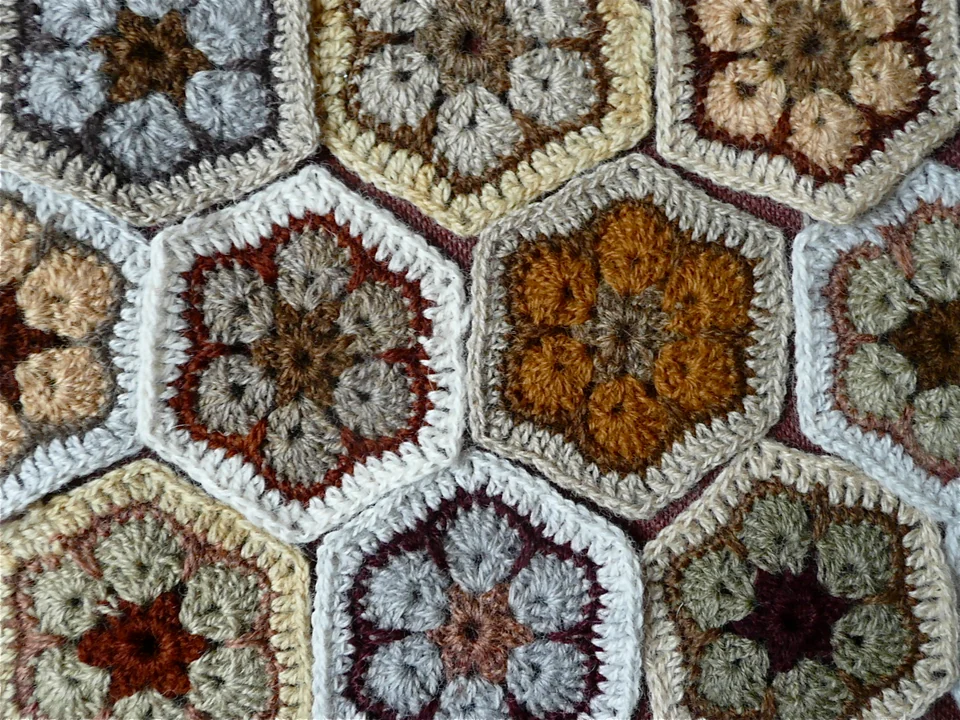

About This Generator
The Hexagon Motif Generator plans a six-sector crochet motif and, optionally, a sewing arrangement for completed motifs. Its main value is making the six corner positions and their receiving sources explicit. Use it for a hexagon study, a modular blanket block, or a small joined strip. The plain center is a useful introduction to corner spaces. Cluster, puff, closed-petal, and openwork-spoke centers require experience with the particular stitch closures and openings described in the output.
How to Use This Generator
Choose Hexagon center first. Plain six-corner hexagon grows through ordinary corner spaces; the other choices introduce six cluster petals, six puff petals, six closed three-post petals, or six openwork spokes before their frame. Plain rounds or flower frame rounds controls the appropriate growth stage for that selection. Drawn-up loops applies only to the puff center. Sew completed motifs can leave one motif separate, pair two motifs along one seam, or arrange three in a continuous sewing route. This option describes sewing completed pieces rather than joining unfinished rounds while crocheting.
Select the swatches and terminology, regenerate, and locate all six corners in Symbol Chart. Follow Written Pattern for the transition out of the chosen center; center-specific gaps cannot be replaced with an ordinary stitch top without checking the source map. Save project records a local draft. Export JSON keeps both center and sewing choices, while Export SVG keeps the construction and assembly drawing. Print is useful for marking completed rounds and can use the browser's PDF destination.
Understanding the Crochet Pattern
A hexagon's six corners distribute growth around six sectors. Corner chains form receiving spaces and are separate from the counted posts. When a later round works into a corner opening, it can create growth without consuming an ordinary post along the side. A decorative center adds another distinction: one completed petal may contain several partial posts or multiple chains. Count the finished objects identified in that round, then inspect how the frame uses their openings. The side you sew is an outer edge between corners, not a radial line through the center.
How the Generator Works
The plain construction begins with six repetitions of dc, chain two, dc in a magic ring. Each repetition makes two dc and one corner opening. Later rounds place another paired corner group into each old corner space and work along the existing side posts. This adds twelve dc per round. Decorative centers generate their own lists of groups, source IDs, and openings before the six-corner frame. The assembly module pairs specific completed edges and reverses the facing edge where needed. It does not infer an arbitrary honeycomb layout or a new stitch pattern for a seam.
Step-by-Step Worked Example
Choose Plain six-corner hexagon, 3 rounds, and Single motif. Round 1 produces twelve dc and six chain-two corner spaces. Round 2 produces twenty-four dc, and Round 3 produces thirty-six dc. Before joining each round, verify six corners and compare the post counts along opposite sides. For a paired study, change the sewing setting to Pair after verifying the single motif, make the required copies, and use the displayed edge pairing. The three-round calculation describes stitch structure; it does not predict a finished diameter in centimeters.
Download this worked example as JSON. Restore it in this generator to compare the actual counts and structure.
Practical Tips
Use removable markers in the corner spaces while learning the route. Make two motifs in the same yarn before committing to a sewn set, then wash and block them together. Compare the stitch gauge and finished side lengths rather than just the total outer count. Thread a contrasting waste yarn along the proposed seam to check orientation. Remove it before the final seam and keep sewing tension loose enough to preserve the motif edge.
Common Mistakes and Solutions
A side develops an extra corner
A side gap may have received the corner pair. Find the six marked corner spaces, trace one full sector, and undo to the first misplaced corner operation. Do not disguise a seventh corner by pulling the seam tighter.
Decorative petals have nowhere to receive the frame
The wrong opening may have been used or closed. Compare the center's designated arch IDs with the drawing, separate securing chains from frame spaces, and remake the affected petal if its required opening is missing.
A paired seam twists the motifs
The two edges may face in the same direction rather than opposite directions. Lay both motifs face up, mark the paired corners, and follow the sewing route's reversal before joining the first few loops.
Second Reproducible Application
Use this comparison to check how one input changes the crochet hexagon motif generator output. Enter rounds = 4; hexCenter = plain; hexJoin = none. Keep any grid and color data from the downloadable worked example unchanged. Generate again and compare the result with the first example above. The resulting dimensions are 4 rounds; widest round 48 stitches. These depend on the entered block size, not a measured finished sample. This comparison was executed with the site's engine; it is a numerical construction check rather than a claim about physical gauge. Save both settings separately if you want to compare them later.
Related Tools and Guides
The Tools directory at /generators/ lists the available generators. Use the linked examples on this page to study the same construction with different inputs, and the Guides directory at /guides/ for supporting reading. Check terminology and measured gauge before combining output from different tools.
Frequently Asked Questions
Are the plain round counts eighteen, thirty-six, and fifty-four?
Not in the current plain construction. It produces twelve, twenty-four, and thirty-six actual dc, with corner chains listed separately. Use the current generated instructions rather than an unrelated hexagon formula.
Can I select five or seven petals?
The decorative hexagon centers use six sectors. The tool does not offer arbitrary petal counts because its framing and corner-source rules depend on that six-way arrangement.
Does Pair join motifs as the final round is crocheted?
No. The setting supplies a sewing arrangement for completed motifs. Finish the individual pieces and follow the displayed matched-edge route.
Why is the puff-loop input disabled?
It applies to the puff-center construction. Other centers use different operations, so changing an irrelevant loop number would not meaningfully change their geometry.
Can this calculate the size of an entire blanket?
It supplies motif and limited sewing structure. Measure a finished motif and seam first; a whole blanket requires a separate layout and allowance for the actual assembled edges.