

About This Generator
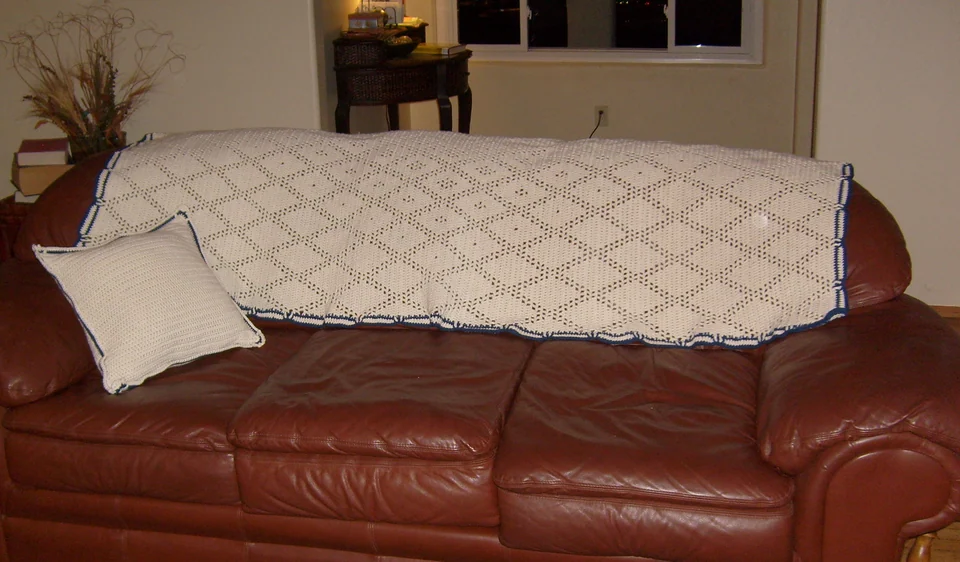
The Filet Crochet Chart Generator turns binary open-and-solid mesh cells into a shared-post crochet structure. It is useful for geometric windows, decorative panels, and learning why a filet cell is not an isolated box of four independent posts. Beginners should first identify a chain space, a skipped base, and a dc top. Experienced users can use the editable grid to test a motif while keeping its receiving-position calculation visible.
How to Use This Generator
Mesh columns and Mesh rows define the cell grid. Pattern supplies an initial geometric arrangement. Filet needs binary cells: each cell must be open or solid. The default diamond is suitable; other motif and palette combinations can produce invalid values and will be rejected rather than converted silently. Click an editable cell to toggle its binary state. Keyboard users can focus the cell and activate it with Enter or Space. Swatches distinguish the two states; they do not turn this into multicolor openwork construction.
Generate, choose US or UK terms, and compare the edited grid with Written Pattern. Read its first boundary post and first insertion carefully. Stitch Preview shows the chain spaces and shared post structure that the colored grid abstracts. Save project retains a local copy, Export JSON preserves the edited binary grid, and Export SVG keeps the chart scalable. Print can create a working paper or PDF reference through the browser destination.
Understanding the Crochet Pattern
The supported mesh uses one initial boundary post followed by three positions per cell. A solid cell adds three dc. An open cell adds chain two, skips two receiving positions, and places a dc at the next boundary. Neighboring cells share the post between them, so two cells require seven positions rather than eight isolated post positions. The starting chain-three counts as the first boundary dc. Unlike a plain sc swatch, this counted starting chain must not be followed by an extra duplicate boundary post.
How the Generator Works
For a width of w mesh cells, the row has three times w plus one positions, including chains. The foundation preparation uses that many base chains plus three rising chains. The initial insertion is in the fifth chain from the hook before adding any mesh chains. The engine reverses cell working order on alternate rows, preserving the binary grid while the hook changes direction. It tracks actual posts separately from chains in open cells. A grid with mismatched dimensions or a value outside its two states cannot represent the supported filet construction.
Step-by-Step Worked Example
Choose two mesh columns and two rows, then edit one row so it contains one open cell and one solid cell. The row has seven positions. Prepare seven base chains plus three rising chains, giving ten total chains. The rising chain-three supplies the first boundary post. Follow the written cell order from the correct edge, starting the first required insertion in the fifth chain from the hook. The open cell contributes two chains and one dc, while the solid cell contributes three dc. Together with the first boundary post, that row contains five posts and two chain positions.
Download this worked example as JSON. Restore it in this generator to compare the actual counts and structure.
Practical Tips
Use a smooth yarn or thread that lets you recognize the base chains without splitting them. Mark the first boundary post at both edges during a trial. Measure a finished mesh sample before deciding how many cells fit a window or panel. Keep chain spaces consistent in width rather than pulling them tightly to match a screen square. Check the open-cell alignment over several rows before expanding the motif.
Common Mistakes and Solutions
Every row gains a boundary post
The counted starting chain may have been followed by an extra dc in the same first boundary. Count the row positions, identify the initial boundary, and undo the duplicate before working the first cell.
The grid count is correct but the foundation is too short
Mesh columns may have been treated as individual stitches. Recalculate three positions per cell plus the first boundary and rising chains, then restart the foundation rather than squeezing several cells into missing bases.
Open cells turn into solid columns
The two receiving positions under the mesh chain may not have been skipped. Trace one open cell against the old row, undo the extra posts, and preserve the chain-two span before its boundary dc.
Second Reproducible Application
Use this comparison to check how one input changes the filet crochet chart generator output. Enter width = 2; height = 2. Keep any grid and color data from the downloadable worked example unchanged. Generate again and compare the result with the first example above. The resulting dimensions are 2 mesh columns × 2 rows (7 stitch positions per row). These depend on the entered block size, not a measured finished sample. This comparison was executed with the site's engine; it is a numerical construction check rather than a claim about physical gauge. Save both settings separately if you want to compare them later.
Related Tools and Guides
The Tools directory at /generators/ lists the available generators. Use the linked examples on this page to study the same construction with different inputs, and the Guides directory at /guides/ for supporting reading. Check terminology and measured gauge before combining output from different tools.
Frequently Asked Questions
Is a blank cell an omitted part of the pattern?
No. It is an open mesh cell with chains, skipped receiving positions, and a boundary post. It still occupies three positions after the shared starting boundary.
Why are ten chains needed for the two-cell example?
Seven base chains establish the cell positions and boundary, and three more provide the counted rise. The written first insertion is defined relative to that complete starting chain.
Are the displayed row totals all dc?
No. The total includes chain positions in open cells. Check the separate post and chain information before reporting a row as a certain number of actual dc.
Can I use three colors as three filet states?
The supported construction is binary open or solid mesh. Palette choices do not define a third structural state, and unsupported grid values are rejected.
Does changing to UK terminology change the counted rise?
The geometry remains the same. The US dc posts become UK tr in the instructions, while the chain-three boundary convention and receiving positions stay unchanged.